Why Bloggers and Content Creators Are Using AI Writing Tools
Creating quality content involves much more than writing paragraphs. A typical blogging workflow includes topic research, keyword selection, outlining, drafting, editing, fact-checking, formatting, and promotion.
AI writing tools can assist with several of these steps.
For example, a blogger might use an AI assistant to develop article angles, an SEO platform to investigate search results, and an editing tool to improve clarity. The blogger can then add original experience, verify the information, and prepare the final article for publication.
The important distinction is that AI can assist with content production, but the publisher remains responsible for the accuracy, usefulness, originality, and quality of the finished work.
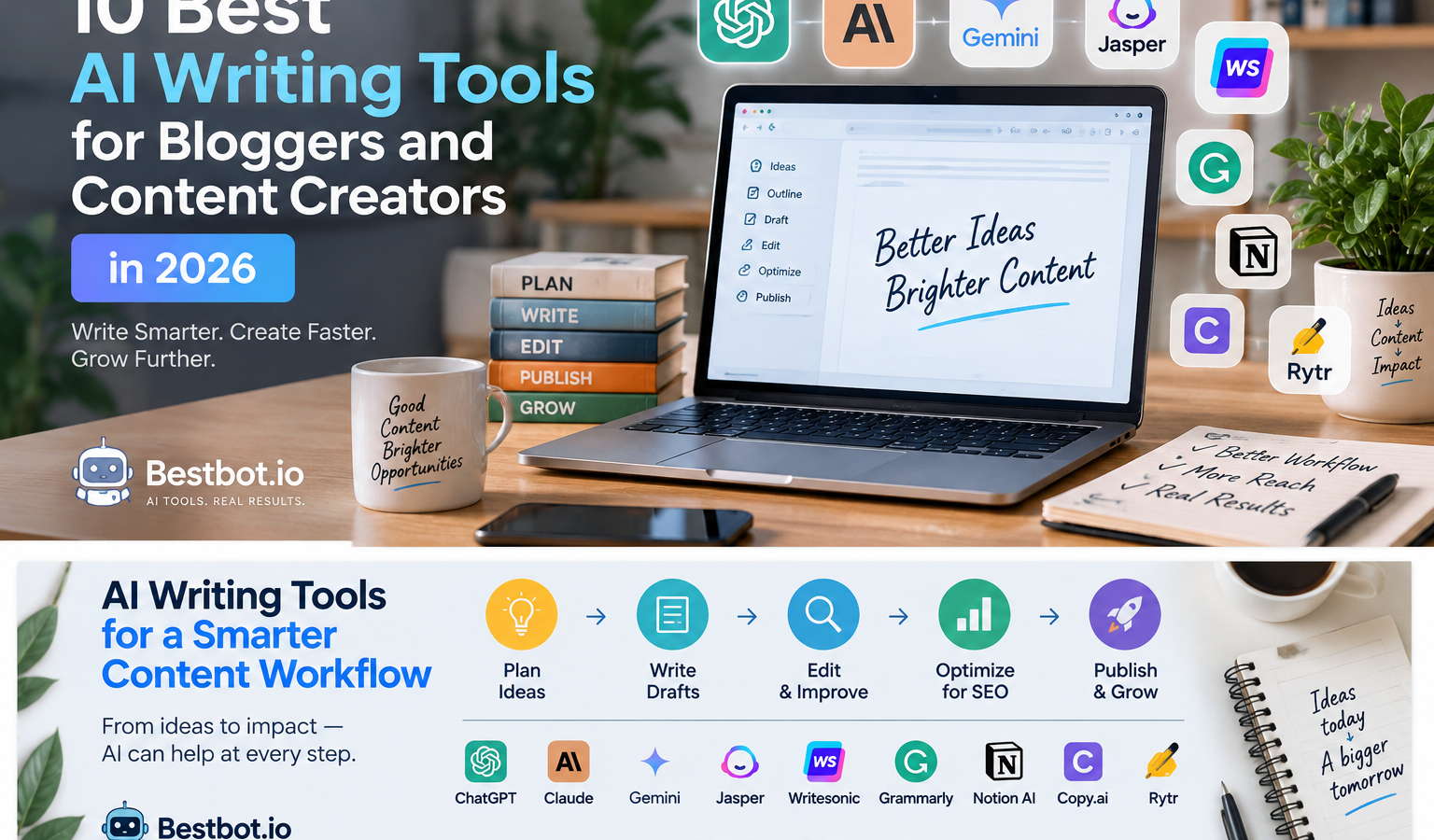
10 Best AI Writing Tools for Bloggers and Content Creators
The tools below serve different purposes. This guide groups them by their practical use cases rather than presenting an independently tested performance ranking.
1. ChatGPT — Flexible Writing and Content Planning
ChatGPT can assist with a wide variety of writing tasks, making it a useful option for creators who need one general-purpose assistant.
Key use cases:
- Brainstorming blog topics and headlines.
- Creating detailed article outlines.
- Drafting and revising sections.
- Repurposing articles into newsletters and social posts.
- Developing content calendars and editorial briefs.
- Helping organize research and supplied documents.
Example prompt:
“Act as a content strategist. Create a detailed outline for a beginner-friendly article about email marketing automation. Include the target audience, search intent, suggested H2 and H3 headings, practical examples, common mistakes, and FAQs. Avoid unsupported statistics and identify claims that require research.”
Advantages:
- Supports multiple content formats.
- Can assist with planning, drafting, and revision.
- Useful for developing repeatable content workflows.
Limitations:
- Output can become generic without a detailed brief.
- Factual claims and references require verification.
- Human editing is necessary to introduce genuine expertise and a distinct voice.
Best suited for: Bloggers, freelance writers, digital marketers, and creators who want a flexible writing assistant.
Website: https://chatgpt.com/
2. Claude—Long-Form Drafting and Document Editing
Claude can help writers develop structured documents, refine drafts, and work with substantial amounts of supplied text.
For bloggers producing tutorials, detailed guides, and educational articles, it can be useful as part of a section-by-section writing process.
Key use cases:
- Drafting long-form articles from detailed briefs.
- Rewriting unclear or repetitive sections.
- Reviewing tone and consistency.
- Summarizing supplied research materials.
- Assisting with technical explanations and documentation.
Example prompt:
“Review the following article draft for clarity, structure, repetition, and unsupported claims. Preserve the author’s meaning and voice. Identify sections that need additional evidence instead of inventing facts. Suggest improvements under each relevant heading.”
Advantages:
- Useful for detailed drafting and revision.
- Can help organize lengthy source material.
- Supports iterative editing workflows.
Limitations:
- Does not eliminate the need for independent fact-checking.
- May require a separate SEO research and optimization workflow.
- Output quality depends on the instructions and source material.
Best suited for: Writers, researchers, editors, and creators working on detailed articles and guides.
Website: https://claude.ai/
3. Google Gemini — Writing and Google Ecosystem Workflows
Gemini can assist with brainstorming, drafting, summarization, and other writing-related tasks. Its usefulness may be especially relevant for creators who already use compatible Google services.
Key use cases:
- Developing article ideas and outlines.
- Drafting and rewriting content.
- Summarizing supplied information.
- Supporting research and brainstorming.
- Assisting with compatible document-based workflows.
Example prompt:
“Develop a blog content brief for an article about AI tools for small businesses. Include the intended reader, their main questions, a logical article structure, suggested examples, and a checklist of facts to verify before publication.”
Advantages:
- Supports a variety of writing and productivity tasks.
- Can fit into workflows involving compatible Google products.
- Useful for developing and refining ideas.
Limitations:
- Features and integrations vary by account and plan.
- Generated claims and references need verification.
- SEO-specific analysis may require additional tools.
Best suited for: Bloggers, students, professionals, and creators who use Google’s productivity ecosystem.
Website: https://gemini.google.com/
4. Jasper — Marketing Content and Brand Workflows
Jasper is a marketing-oriented AI content platform. It is worth investigating for teams that produce recurring marketing materials and need consistent messaging across campaigns.
Key use cases:
- Drafting marketing copy.
- Developing campaign content.
- Creating variations of promotional messaging.
- Supporting brand-oriented content workflows.
- Helping teams organize repeatable content production.
Example prompt:
“Create three draft versions of a promotional email for a new productivity ebook. Use a professional, helpful tone. Explain the reader benefit clearly, avoid exaggerated promises, and include a concise call to action.”
Advantages:
- Designed around marketing content workflows.
- May be useful for teams with established brand guidelines.
- Can support recurring campaign content production.
Limitations:
- May be unnecessary for a solo blogger with a simple writing workflow.
- Subscription costs and included features should be checked before purchasing.
- Generated marketing claims still require substantiation.
Best suited for: Marketing teams, agencies, and businesses producing recurring branded content.
Website: https://www.jasper.ai/
5. Writesonic — AI Content and SEO-Oriented Workflows
Writesonic offers AI-assisted content capabilities alongside products oriented toward search and online visibility. Bloggers evaluating it should check which features are included in the current plans.
Key use cases:
- Drafting marketing and blog content.
- Supporting content research and planning.
- Exploring SEO-oriented writing workflows.
- Developing content variations.
- Assisting with certain content optimization tasks.
Example prompt:
“Prepare a draft content brief for a guide about AI writing tools. Identify the reader’s likely questions, propose a clear article structure, and list the product details and claims that must be verified using official documentation.”
Advantages:
- Offers content-focused workflows.
- May suit users looking for a combination of writing and search-related capabilities.
- Can help structure content production.
Limitations:
- Available features depend on the product and subscription.
- Automated SEO suggestions should be treated as guidance, not ranking guarantees.
- Drafts still need editorial review and original contributions.
Best suited for: Content marketers and publishers exploring AI-assisted content and search workflows.
Website: https://writesonic.com/
6. Surfer — SEO Content Planning and Optimization
Surfer focuses on SEO-oriented content workflows. It can be considered by bloggers who want assistance evaluating search results and improving the structure and topical coverage of their articles.
Key use cases:
- Supporting content planning around search queries.
- Reviewing competing search-result content.
- Identifying topics and terms to consider.
- Assisting with on-page content optimization.
- Supporting editorial workflows for SEO-focused articles.
Example workflow:
- Research a target query and understand its search intent.
- Develop an article outline based on the reader’s needs.
- Use an SEO content tool to review potential coverage gaps.
- Draft the article with original examples and relevant expertise.
- Review recommendations critically before publishing.
Advantages:
- Focuses on search-oriented content workflows.
- Can help organize on-page optimization tasks.
- May be useful for publishers managing multiple SEO articles.
Limitations:
- Optimization scores are not guarantees of search rankings.
- Excessive keyword insertion can damage readability.
- Subscription costs and features should be assessed against your publishing volume.
Best suited for: SEO professionals, content strategists, and bloggers managing search-focused content.
Website: https://surferseo.com/
7. Grammarly — Editing, Clarity, and Proofreading
Grammarly is primarily useful as a writing improvement and editing assistant. It can complement a drafting tool by helping writers identify language issues before publication.
Key use cases:
- Checking grammar and spelling.
- Improving sentence clarity.
- Reviewing tone and readability.
- Refining professional communications.
- Proofreading drafts before publication.
Example workflow:
After completing a blog draft, review it with Grammarly to identify grammar problems, awkward sentences, and opportunities to improve clarity. Then manually check whether the suggested changes preserve your intended meaning.
Advantages:
- Useful for editing and proofreading.
- Can help improve readability.
- Complements rather than replaces the main writing process.
Limitations:
- Automated suggestions may change the intended meaning.
- It cannot independently verify every factual claim.
- Writers should retain control over style and editorial decisions.
Best suited for: Bloggers, editors, students, and professionals who want assistance polishing written content.
Website: https://www.grammarly.com/
8. Notion AI — Content Organization and Editorial Workspaces
Notion combines notes, documents, databases, and project organization. Its AI features can assist with writing and managing information within a Notion workspace.
Key use cases:
- Organizing article ideas and briefs.
- Summarizing notes.
- Drafting and refining workspace documents.
- Managing editorial planning materials.
- Supporting team knowledge management.
Example workflow:
Create a content database containing article titles, focus keywords, assigned writers, deadlines, and publication status. Use AI assistance where useful to summarize research notes or prepare initial content briefs.
Advantages:
- Combines writing-related work with workspace organization.
- Can support editorial planning and documentation.
- Useful for teams already working in Notion.
Limitations:
- The value depends on whether Notion fits your existing workflow.
- AI availability and pricing can change.
- Poorly organized workspace information can lead to less useful results.
Best suited for: Content teams, freelancers, project managers, and bloggers who use Notion to organize their work.
Website: https://www.notion.so/
9. Copy.ai — Marketing Copy and Repeatable Workflows
Copy.ai focuses on AI-assisted marketing and go-to-market workflows. It may be useful for teams that need help developing recurring marketing materials and organizing related processes.
Key use cases:
- Brainstorming marketing messages.
- Drafting promotional copy.
- Developing content variations.
- Supporting repeatable marketing workflows.
- Assisting with sales and marketing content preparation.
Example prompt:
“Draft five headline options for a blog post about productivity tools for freelancers. Make each headline specific and useful. Avoid clickbait, unsupported claims, and promises that cannot be demonstrated.”
Advantages:
- Oriented toward marketing and business workflows.
- Can support repeatable content tasks.
- Useful for brainstorming and drafting variations.
Limitations:
- May overlap with general-purpose AI assistants.
- Product capabilities and pricing should be checked before adoption.
- Generated copy requires review for accuracy, tone, and brand suitability.
Best suited for: Marketing teams, sales teams, agencies, and businesses producing recurring campaign content.
Website: https://www.copy.ai/
10. Rytr — Lightweight AI Writing Assistance
Rytr is an AI writing application to consider for users seeking assistance with shorter writing tasks and straightforward content generation.
Key use cases:
- Brainstorming content ideas.
- Drafting short-form copy.
- Creating initial text variations.
- Assisting with simple writing tasks.
- Developing starting points for descriptions and messages.
Example prompt:
“Write three concise introductions for a blog post about AI productivity tools. Address a beginner audience, explain the problem clearly, and avoid exaggerated claims.”
Advantages:
- Focuses on accessible writing assistance.
- Can be considered for shorter and simpler tasks.
- May suit users who do not need a complex content production platform.
Limitations:
- Advanced editorial or SEO workflows may require other tools.
- Check current usage limits and available features.
- Generated drafts still require review and refinement.
Best suited for: Beginners, casual writers, and creators with relatively simple writing requirements.
Website: https://rytr.me/
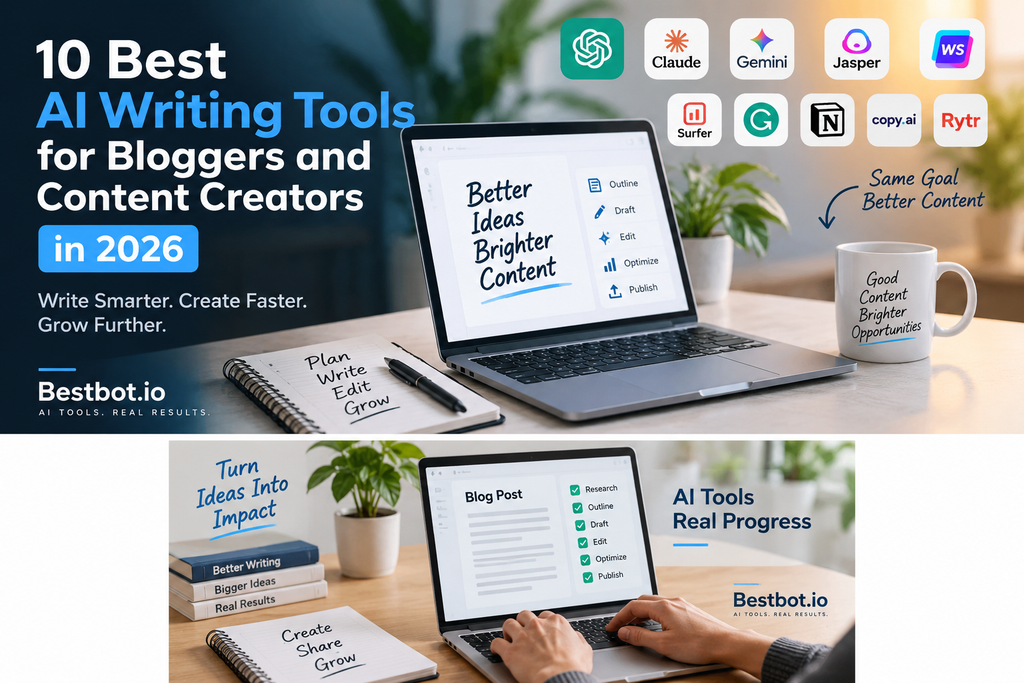
AI Writing Tools Comparison Table
Use this comparison to narrow down which products are worth testing for your workflow.
| Tool | Main strength | Consider it if you need |
|---|---|---|
| ChatGPT | Flexible writing assistance | One assistant for multiple content tasks |
| Claude | Drafting and document editing | Help with detailed articles and revisions |
| Gemini | AI assistance and Google workflows | Writing support alongside compatible Google services |
| Jasper | Marketing content workflows | Recurring branded marketing materials |
| Writesonic | Content and SEO-oriented workflows | AI-assisted content production |
| Surfer | SEO content planning | Search-focused content optimization |
| Grammarly | Editing and proofreading | Help improving language and clarity |
| Notion AI | Workspace writing and organization | Editorial planning and knowledge management |
| Copy.ai | Marketing and go-to-market workflows | Repeatable campaign and marketing tasks |
| Rytr | Lightweight writing assistance | Simpler writing and short-form content tasks |
Important: This is a use-case comparison, not a performance ranking. Product features, subscription plans, and free access can change. Confirm current details directly with each provider before purchasing.
How to Use AI Writing Tools to Create a Blog Post
A structured workflow can help you use AI assistance without sacrificing editorial quality.
Step 1: Define the reader and search intent
Before generating content, decide:
- Who is the article for?
- What question are they trying to answer?
- What should they understand or be able to do after reading?
- Is the article informational, commercial, or primarily instructional?
A clear brief helps prevent irrelevant sections and generic content.
Step 2: Research the topic
Use reliable sources, product documentation, firsthand experience, and relevant examples to establish the facts.
AI research assistance can help organize the investigation, but do not treat generated citations, statistics, or product descriptions as verified until you have checked the original sources.
Step 3: Create the outline
Develop a logical structure that covers the reader’s important questions.
For a tool comparison article, the outline might include:
- Introduction and selection criteria.
- Quick comparison table.
- Individual tool descriptions.
- Use cases and limitations.
- Guidance for choosing a tool.
- Frequently asked questions.
- Conclusion and relevant next steps.
Step 4: Draft section by section
Rather than requesting a large article without context, work through the outline in manageable sections.
Give the writing assistant the relevant research, intended audience, desired tone, and any claims that must be avoided or verified.
Step 5: Add original value
Improve the draft with useful material that is not merely a restatement of common descriptions.
Examples include:
- Your own documented workflow.
- Screenshots or demonstrations.
- A clearly explained selection methodology.
- Original examples relevant to your audience.
- Practical limitations and lessons learned.
- A comparison based on criteria readers can understand.
Never claim to have tested a tool unless you actually have.
Step 6: Edit and fact-check
Review the article for accuracy, repetition, readability, and consistency.
Verify product names, current capabilities, pricing, and important claims against authoritative sources. Remove unsupported promises and unnecessary filler.
Step 7: Optimize and publish
Prepare the title, meta description, URL slug, headings, images, internal links, and appropriate structured data.
Use Rank Math or another suitable SEO plugin to assist with checks, but make editorial decisions based on reader needs rather than attempting to satisfy a plugin score at the expense of quality.
How to Choose the Right AI Writing Tool
There is no single tool that is automatically the right choice for every blogger. Evaluate your options using the following criteria.
Writing quality
Does the tool produce clear, relevant drafts that are easy to edit? Does it follow your instructions and preserve the intended meaning?
Research and accuracy
Can you verify the claims it produces? Does the workflow make it easy to consult original documentation and reliable references?
SEO support
Does it help with useful tasks such as content planning, search-intent analysis, or on-page review? Avoid treating keyword density or automated scores as proof of SEO quality.
Workflow compatibility
Can you use the tool alongside your existing WordPress editor, content database, research process, and collaboration tools?
Pricing and usage limits
Compare the current subscription cost with your actual publishing volume. Consider whether a free tier or an existing subscription already covers your requirements.
Privacy and commercial use
Review data-handling practices, permissions, and commercial-use terms before using AI tools with confidential documents or customer information.
Common Mistakes to Avoid
Publishing without editorial review: AI-generated drafts may contain inaccuracies, repetition, or generic explanations.
Choosing tools based only on popularity: A popular platform may not solve your particular workflow problem.
Over-optimizing for SEO scores: Readability, accuracy, relevance, and usefulness should guide editorial decisions.
Paying for overlapping subscriptions: Test whether a new product adds meaningful functionality before introducing another recurring cost.
Inventing personal experience: Do not describe a tool as tested or claim results that you have not actually observed.
Ignoring updates: Features, usage limits, pricing, and product capabilities can change. Revisit comparison articles periodically and update material that is no longer accurate.
Frequently Asked Questions
1. What is the best AI writing tool for bloggers?
The appropriate tool depends on your workflow. General-purpose assistants can help with brainstorming and drafting, editing tools can improve clarity, and SEO-focused platforms can support content planning and optimization. Compare tools against the tasks you actually need to complete.
2. Can I use AI to write blog posts for WordPress?
Yes. AI tools can assist with outlining, drafting, editing, and preparing content for WordPress. Review and verify the material before publication, and ensure that the finished article provides genuine value to readers.
3. Are AI writing tools free?
Some providers offer free access or limited free plans, while others focus on paid subscriptions or trials. Features and limits vary, so check the provider’s current pricing information.
4. Can AI-generated articles rank on Google?
AI assistance alone does not guarantee search rankings. Focus on creating accurate, original, useful content that satisfies the reader’s needs. Review Google’s current guidance on helpful content and scaled content abuse before developing an automated publishing workflow.
5. Do AI writing tools replace human writers?
AI can assist with drafting, editing, and research-related tasks, but human judgment remains important for originality, accuracy, expertise, voice, and accountability. The degree of assistance appropriate for a project depends on its requirements.
6. Which AI writing tool is suitable for SEO content?
Consider tools that support your specific SEO workflow, such as research organization, content briefs, on-page review, and editing. Use SEO suggestions as guidance and verify important claims independently.
7. How can beginners start using AI writing tools?
Start with one tool and one recurring task. For example, use an AI assistant to create article outlines, then review the results and improve the process before adding more tools.
8. Should I use multiple AI writing tools?
You can combine tools when each serves a distinct purpose, such as drafting, editing, research, or automation. Avoid adding tools that duplicate capabilities you already have without providing a meaningful benefit.
Conclusion
AI writing tools can help bloggers and content creators with many parts of the publishing process, including brainstorming, drafting, research organization, editing, and marketing workflows.
The key is to choose tools based on your actual needs rather than subscribing to every product that promises faster content creation.
Start with a clear editorial process, test a suitable tool on a real task, and evaluate the complete result. Keep human review, fact-checking, originality, and reader value at the center of your publishing workflow.
For more practical guides on AI software, digital marketing, automation, and productivity, explore the other articles on Bestbot AI Insights.